LogoNewFace AI
Modelle
Funktionen
KI-BildgeneratorKI-VideogeneratorVideo zu AudioVideo-Untertitel entfernenProduktdetailseiten-GeneratorKI TikTok AnzeigengeneratorKI UGC VideoerstellerKI-VideoanzeigengeneratorImmobilien-VideoanzeigenKI-YouTube-Shorts-ErstellerAI UGC-VideogeneratorAlternative zu TopView AIUGC-ProduktanzeigenGoogle Ads UGC-VideoHautpflege-VideoanzeigenHautpflege UGC-VideosDamenmode-AnzeigenKosmetik-VideoanzeigenDTC Produkt VideosDamenmode UGCHautpflege Meta-AnzeigenKosmetische TikTok AnzeigenLuxus-Schmuck-PräsentationAthleisure-VideoanzeigenHeim & Küche VideoanzeigenHaustiermarken-UGC-AnzeigenWellness Video AnzeigenTech & Gadget-VideosNachhaltige ProduktanzeigenFitnessgeräte-AnzeigenMeta ModeanzeigenHochkonvertierende HautpflegeLuxusschmuck-ReelsKosmetikmarken-VisualsErklärungen zu Technik-GadgetsTikTok-Anzeigen für HaustiermarkenWellness-AktionenMeta-Anzeigen für DTCNachhaltige ProduktwerbeaktionenHeim & Küche AnzeigenKosmetik UGC AnzeigenLuxusschmuckanzeigenArcads AlternativeVisuelle E-Commerce-AssetsKI-Avatare für ImmobilienAdgenesis-AlternativeArcade KI-AlternativeOnline-WerbeplattformenKreative KI für WerbungChatGPT AnzeigenKI-WerbemacherDigitale WerbekanäleTop KI-gestützte UGC-VideoerstellerBeste KI-WerbevideotoolsVideoanzeigen-MockupsKI-Anzeigenanalytik-WorkflowFitnessproduktvideosHochkonvertierende DTC-AnzeigenKI-Schauspieler-VideogeneratorNewface gegen Arcads PreisgestaltungNewface vs Arcads FunktionenNewface gegen HeyGen gegen ArcadsMakeUGC AlternativeKI-Schauspieler für VideoanzeigenIcon KI für AnzeigengestaltungUGC-Videos für DTC-MarkenMode-WerbevideosKI-AnzeigenerstellerLeitfaden für KI-WerbungMeta-Anzeigen für LuxusschmuckModeprodukt-PräsentationFilmische Hautpflege-ReelsHeyGen vs Arcads vs NewfaceKI-Avatar-GeneratorKI-WerbegeneratorBeste UGC-Plattformen im VergleichAI-Video-Werbeanzeigen-Ersteller PreisübersichtTikTok-Anzeigen für FitnessVideoanzeigen für DamenmodeHautpflege-MarkenvisualsFitness-ErklärvideosAI-Werbespot-ErstellerFallstudie zur KI-Werbung von CokeVideogen gegen VeedWasserzeichenfreie UGC-EditorenMakeUGC AlternativeBewährte Praktiken für ProduktanzeigenHaustiermarken-WerbungWerbeintelligenz-ToolsKI Avatar MobilErsteller-Icon UGCErschwingliche UGC-VideotoolsCreatifyAI Meta Ads For CosmeticsCompare UGC Video Production Tools With Voice CloningBest UGC Video Creation Software for Live EventsCompare Pricing Of UGC Video SoftwareAI Advertising NewsAd IconsAI TikTok Ads For Sustainable ProductsAI TikTok Ads For Wellness BrandsAI TikTok Ads For Luxury JewelryAI UGC Videos For Athleisure WearAI UGC Videos for Home & KitchenAI UGC Videos for Gadgets & TechAI UGC Videos For Sustainable ProductsAI UGC Videos For Fitness EquipmentAI UGC Videos For Luxury JewelryAI Product Videos For CosmeticsAI Product Videos For Women's FashionAI Product Videos For Home & KitchenAI Product Videos For Sustainable ProductsAI Product Videos For Athleisure WearAI Product Showcase For SkincareAI Product Showcase For CosmeticsAI Product Showcase for Sustainable ProductsAI High-Converting Ads For Women's FashionAI High-Converting Ads for Home & KitchenAI Cinematic Reels For Women's FashionAI Brand Visuals for Women's FashionAI Brand Visuals For DTC BrandsAI Aesthetic Promos For SkincareAI Aesthetic Promos for CosmeticsAI Aesthetic Promos For Women's FashionAI Explainer Videos For Wellness BrandsAI Explainer Videos For DTC BrandsAI Promo Videos For SkincareAI Promo Videos For CosmeticsAI Promo Videos For Pet BrandsAI Promo Videos for Gadgets & TechAI Promo Videos For Home & KitchenAI Meta Ads For Pet BrandsAI Meta Ads for Athleisure WearAI Meta Ads For Gadgets & TechAI Meta Ads For Fitness EquipmentAI Meta Ads For Sustainable ProductsAI Meta Ads For Wellness BrandsOpenAI Ads News: What Marketers Need to KnowArc Canvas AlternativeArcad Pricing & Better AlternativesVideogen vs Veed.ioAI Meta Ads For Home & Kitchen
Nachdrehen
Plugin
Blog
POV in Film und KI-VideoDeine ersten fünf PromptsWas KI-Video ist (und was nicht)Was ist ein Jump Cut?Was ist ein Establishing Shot?Was ist ein Dutch Angle?Was ist ein Match Cut?Was ist ein Dolly Shot?Was ist Cross-Cutting?Szene ohne Schauspieler dirigierenKI-Krypto-Video-GeneratorGesichtslose Krypto-VideosKrypto-YouTube-IdeenKrypto sicher kaufenWas ist BitcoinEthereum erklärtBlockchain-LeitfadenNFTs EntschlüsseltKrypto-Wallet LeitfadenWas ist DeFiWas ist Web3Krypto-Staking-LeitfadenMeme-Coins-LeitfadenKrypto-Betrug ErkennenBitcoin-Halving-LeitfadenNFTs erstellen & verkaufenKrypto-Steuer-LeitfadenDigitale ZentralbankwährungenWas sind DAOsAI YouTube-VideogeneratorOnline-LernplattformenGesichtslose BildungsvideosFrühkindliche BildungLeitfaden LernbehinderungenPrüfungsvorbereitung: SAT, ACT, GRESTEM-Bildung YouTubeStipendien & StudienfinanzierungAuslandsstudium LeitfadenStartup-MarketingstrategienWirtschaftsrecht GrundlagenFaceless Fitness VideosErfolgsgeschichten berühmter UnternehmerTipps zur ProduktpreisgestaltungWarum Startups scheiternBusiness Model CanvasEinzigartiges WertversprechenBusiness-Networking-LeitfadenOnline-Business bootstrappenVom Startup zum ScaleupLehrerausbildung LeitfadenMontessori-Bildung LeitfadenGesichtslose UnternehmervideosErklär- & Tutorial-VideosVideoqualität & AudioGeschäft ohne Geld startenZukunft der Bildung LeitfadenTraditioneller vs Moderner UnterrichtEducational Psychology YouTube GuideSpecial Education Inclusive LearningTutoring: Find or Become a TutorAdult Education YouTube GuideEdTech-ToolsBerufsausbildung und Skills-BildungRisikomanagement im TradingHaeufige Anlagefehler vermeidenFunktionieren automatisierte Trading-Bots?YouTube AI-Marketingvideo-GeneratorYouTube-Kanal Marketing-IdeenDigital Marketing 101 LeitfadenSocial-Media-Marketing-Strategie 2026Facebook Ads Tutorial for BeginnersLeitfaden zum Wachstum von E-Mail-ListenGoogle Ads for Profitable CampaignsInstagram Marketing MarkenaufbauTikTok-Marketing: Gen Z Zielgruppen erreichenKI-Video-Werbeplattform LeitfadenKI-Werbung für Agenten: Ultimativer Leitfaden 2026Beste Marketing-Automatisierungsagentur 2026TikTok KI-Video-Anzeigen: Ultimativer Leitfaden 2026KI-generierte Werbespots: Definitiver Leitfaden 2026UGC-Anzeigen: Ultimativer Leitfaden 2026Kamera-Werbeskript schreiben 2026Google AI Ads: Vollständiger Leitfaden 2026Character AI Ads: Vollständiger Leitfaden 2026KI-Avatar-Tools für E-Commerce-Anzeigen 20262026: Werbeanzeigen die wirken – Schritt für SchrittKreative Werbung, die konvertiert 2026Werbe-Kreativ-Guide 2026KI-Avatar & GEMA-freie Musik Guide 2026Batch-Social-Video-Ads-Plattformen 2026Produktpromotion 2026: Digital & MerchMedia-Buying-Plattformen 2026: DSP-Vergleich A–ZMeta AI Lead-Gen-Anzeigen 2026Beste Werbemittel für SaaS 2026Beste UGC-Testimonial-Video-Software 2026Top 12 KI-UGC-Video-Tools 2026Top KI-Plattformen für UGC-MarkenvideosBeste UGC-Videosoftware für Google AdsBeste UGC-Video-Maker für YouTube ShortsBeste KI-Avatar-Lösungen für UGC-Produktanzeigen 2026Retail-Ad-Builder-Software 2026 – Vergleich

Sprache

YOUR AGENT. A WHOLE NEW CREATIVE TOOLKIT.

NewFace AI plugin for your agent

Turn the ideas in your conversation into images, videos, and campaigns. Your agent brings the thinking. NewFace AI brings the creative workspace.

Download the skill

Install NewFace AI

Copy the setup prompt into Codex. Your agent will download the official NewFace AI skill and follow its installation guide.

Connect your account

Sign in to NewFace AI and create an API key in your account settings. Follow your agent’s instructions to connect it.

Open NewFace AI

Make something great

Share an idea, a product photo, or a reference. Ask your agent to create, then review and refine the results on NewFace AI Canvas.

Open Canvas
Installation prompt for Codex

Works with agents that support local skills and terminal tools. A NewFace AI API key and an eligible plan are required.

One creative workflow, from your first prompt to the final frame.

FROM CONVERSATION TO CREATION

See what your agent can make

Product launches, brand stories, and the next idea you haven’t tried yet. Bring them to life with NewFace AI.

Product launch films

Build a polished brand film around your product, from mood to final shot.

Fashion in motion

Take a reference look into a new setting with a fresh creative direction.

Spaces worth exploring

Turn interior references into atmospheric videos that tell a story.

A product story, fully realized

Connect product details, a clear message, and a cinematic sequence.

Creator-style product ads

Make social-first product videos with an approachable, everyday feel.

Fresh angles for your next campaign

Explore different hooks and product moments for your creative brief.

Studio-quality product visuals

Give a product photo a new scene, lighting setup, and visual identity.

A consistent brand look

Keep colors, materials, and references connected across your creative.

Ideas you can see

Explore a space, a mood, or a visual concept before the next production step.

THINK IT. MAKE IT. REFINE IT.

Give your agent a creative workspace

Keep the brief, references, and results connected. NewFace AI turns a conversation into a project you can keep working on.

Your agent, now on Canvas

Let your agent arrange references, connect generation steps, and create images and videos in a visual workspace. Open the same project to explore the results and guide the next round.

Explore NewFace AI Canvas

Creative visual examples made for NewFace AI image and video workflows

The right model for every idea

Move between image and video generation without rebuilding your brief. Explore the models available in NewFace AI and choose the one that fits your creative direction.

Discover the models
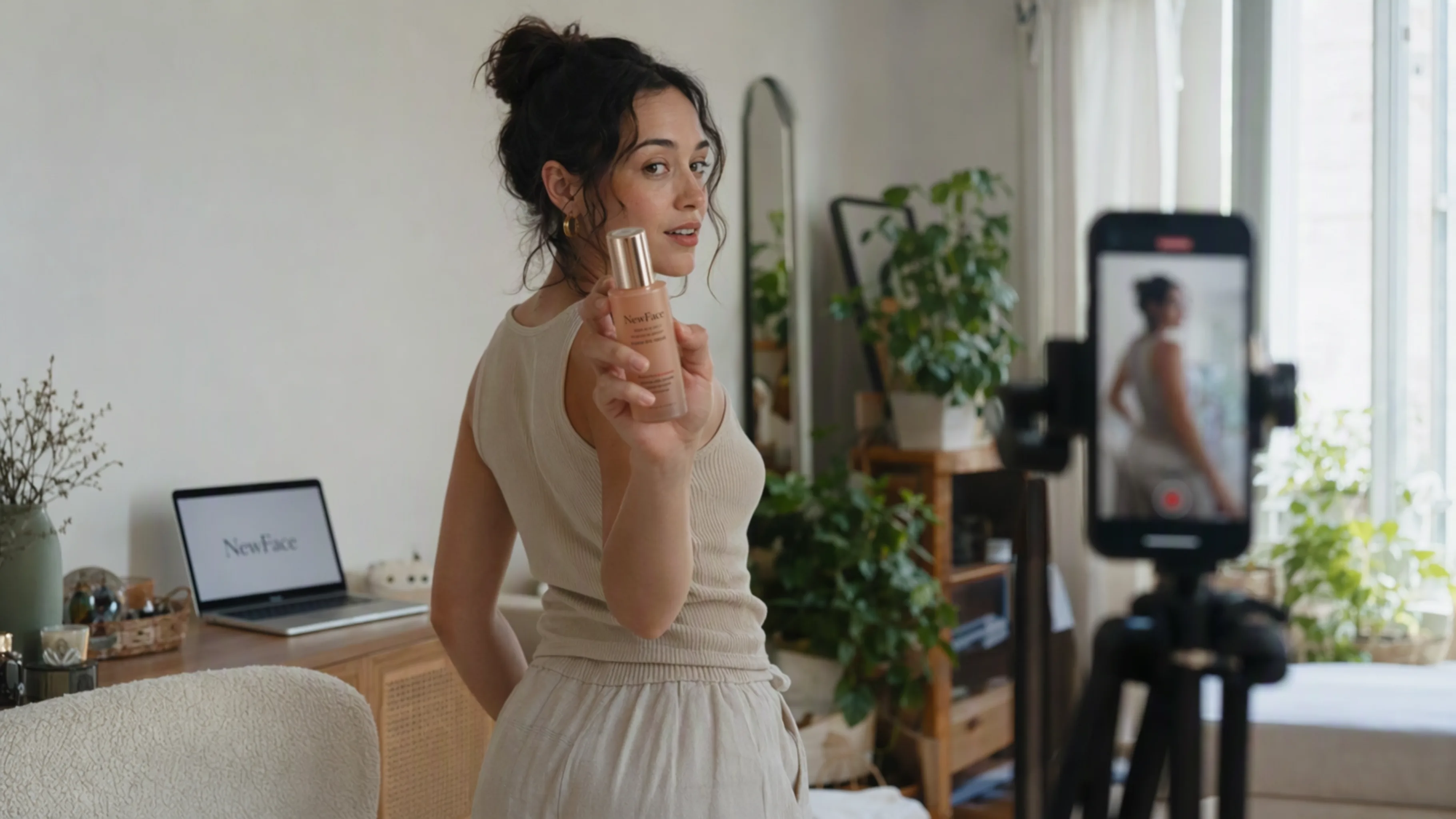
A NewFace AI product campaign with coordinated lighting, scenes, and styling

One product. Many possibilities.

Start with your own product assets, then develop scenes, campaign images, and video variations around them. Keep your references together as you test different directions and refine the details.

Explore product video creation
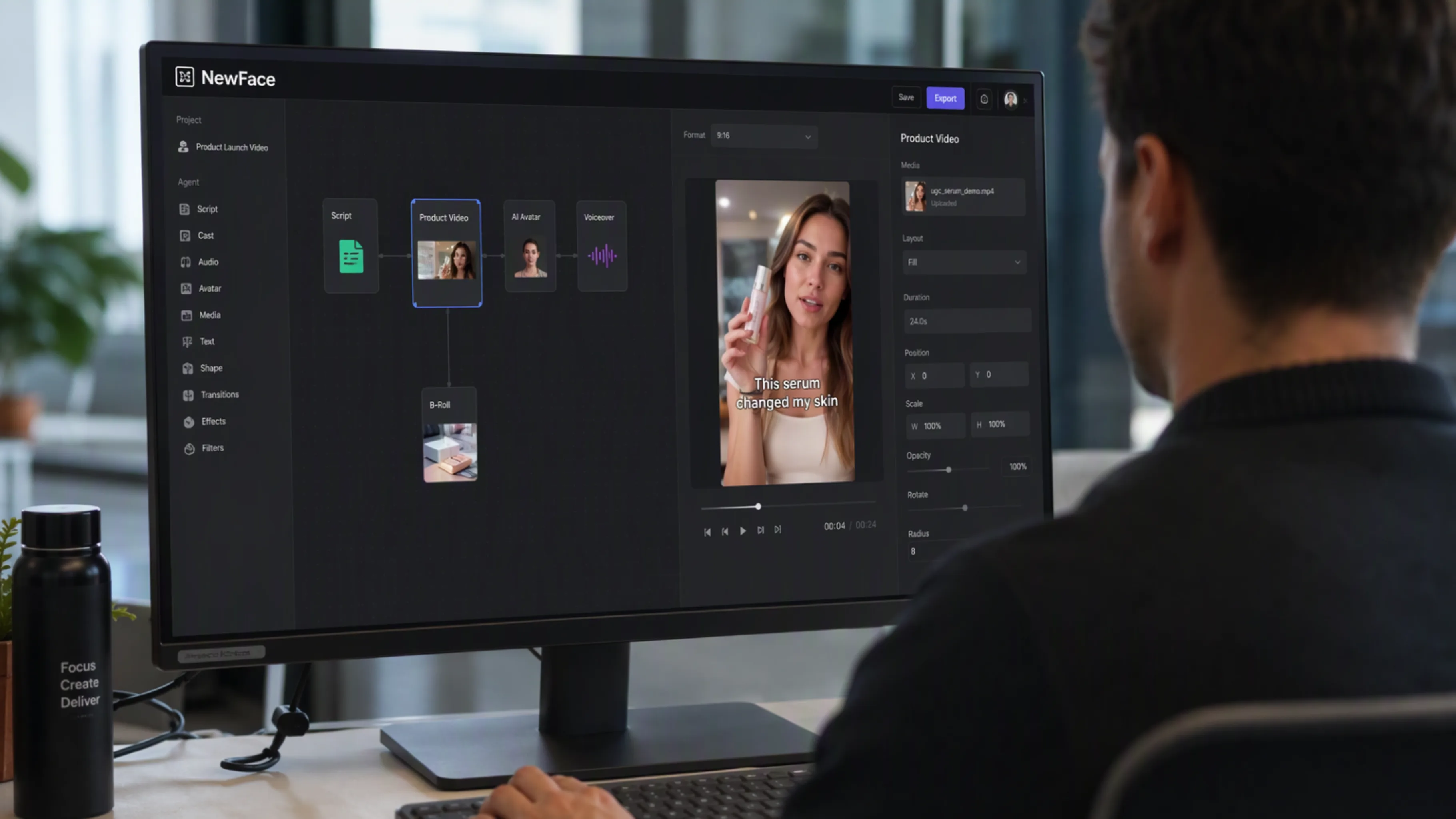
A cinematic storyboard illustrating a NewFace AI video workflow

Go from a brief to a finished story

Break an idea into a script, storyboard, images, and video. Your agent can guide each step while NewFace AI keeps the creative work organized in one project.

Explore video workflows

Your favorite models. One workspace.

Explore NewFace AI’s image and video models, then let your agent help you put them to work.

Three steps to your next creation

Install once, then keep the creative conversation going.

Connect NewFace AI

01

Give your agent the setup prompt

Choose your agent above, copy the prompt, and follow the guided installation and account setup.

Turn this product into a cinematic launch video.

02

Share your creative brief

Add a product photo, reference image, or an idea. Tell your agent what you want to make and choose a model.

Your next idea starts here.

03

Review, refine, and make it yours

Open the generated assets on Canvas. Compare directions, adjust the details, and continue your project.

Frequently asked questions

A few things to know before you connect your agent.

What is the NewFace AI plugin?

It is NewFace AI’s creative toolkit for AI agents, delivered through the official NewFace AI skill and CLI. It lets a compatible agent work with your NewFace AI projects and create images and videos.

Which agents can I use?

The setup prompts on this page are for Codex, Grok Bot, Cursor, and Claude Code. Your agent needs support for local skills and terminal commands so it can install and use the NewFace AI CLI.

How do I connect my NewFace AI account?

Sign in to NewFace AI, open your account’s API key settings, and create a key on an eligible plan. Your agent will guide you through configuring the CLI with that key. The installation guide in the official skill package contains the current setup instructions.

What can my agent create?

Your agent can work with product photos, image concepts, scripts, storyboards, and video generation. You can ask it to organize a project, connect references, select an available model with you, and produce finished creative assets.

Where can I find my results?

Your work lives in your NewFace AI project and Canvas. Your agent can provide a link to the canvas so you can review the generated images and videos, compare variations, and continue editing.

Do I need a paid plan?

CLI and API access require an eligible NewFace AI plan and an API key. Generation uses your account’s credits. Visit the pricing page and your account settings for current plan access and credit details.

Can I reuse my product photos and references?

Yes. Ask your agent to upload your own assets and use them as references in your project. Keeping references connected to the workflow helps you build a consistent visual direction across images and shots.

Is this a ChatGPT marketplace installation?

This page currently provides the official NewFace AI skill and CLI installation for compatible agents. Use the setup prompt for your platform; a separate ChatGPT marketplace listing is not required for this workflow.

Your next big idea starts with a conversation.

Connect your agent to NewFace AI. Give your imagination a workspace.